Epic Launcher 因代理残留无法连接
问题描述
- Epic 网页端正常打开可以登录;
- 启动 Epic Games Launcher 客户端会提示无法建立连接,点击其中的感叹号图标会跳转到“SU-BI-CA:客户端构建信息校验错误 - Epic Games 商店 支持“的页面,但是其中并没有有用的信息;
- 卸载重装、删除客户端缓存都没有作用;
- 尝试网上的各种解决方案均无效;
- 尝试使用雷神加速器没有改变,但是使用加速器中的启动按钮启动客户端时有一点不同:客户端开始正常更新,更新完成后自动重启后再次回到原本的状态。启动时加
-SkipBuildPatchPrereq也没用。
解决方案
先确认当前 WinHTTP 代理状态:
netsh winhttp show proxy
如果输出包含 127.0.0.1:10809(或其它代理地址)且你并未主动配置,说明是残留的代理设置。
确认后在管理员权限运行的命令行中执行:
netsh winhttp reset proxy
终端中会提示:
Current WinHTTP proxy settings: Direct access (no proxy server)
然后重新启动客户端即可正常登录。
如果你在局域网环境通过代理上网:不要执行 reset,那会破坏你的网络连接。你应该用
netsh winhttp set proxy配置正确的代理地址,而非直接清除。若 reset 后无效可能是你遇到的问题与我并不同,建议直接去寻找其它解决方案。
排查过程
1. 查看日志
在客户端提示无法建立连接后,去到 %localappdata%\EpicGamesLauncher\Saved\Logs 目录下,可以找到日志文件 EpicGamesLauncher.log,打开后往后翻看,发现如下关键内容:
[2025.06.05-08.51.35:709][ 1]LogInit: - bUseHttpProxy = true  - Libcurl will use HTTP proxy
[2025.06.05-08.51.35:709][ 1]LogInit: - HttpProxyAddress = '127.0.0.1:10809'
2. 定位根因
此时猜测到客户端内部使用了 HTTP 代理,但是之前检查过系统代理,设置一切正常,并没有设置代理。
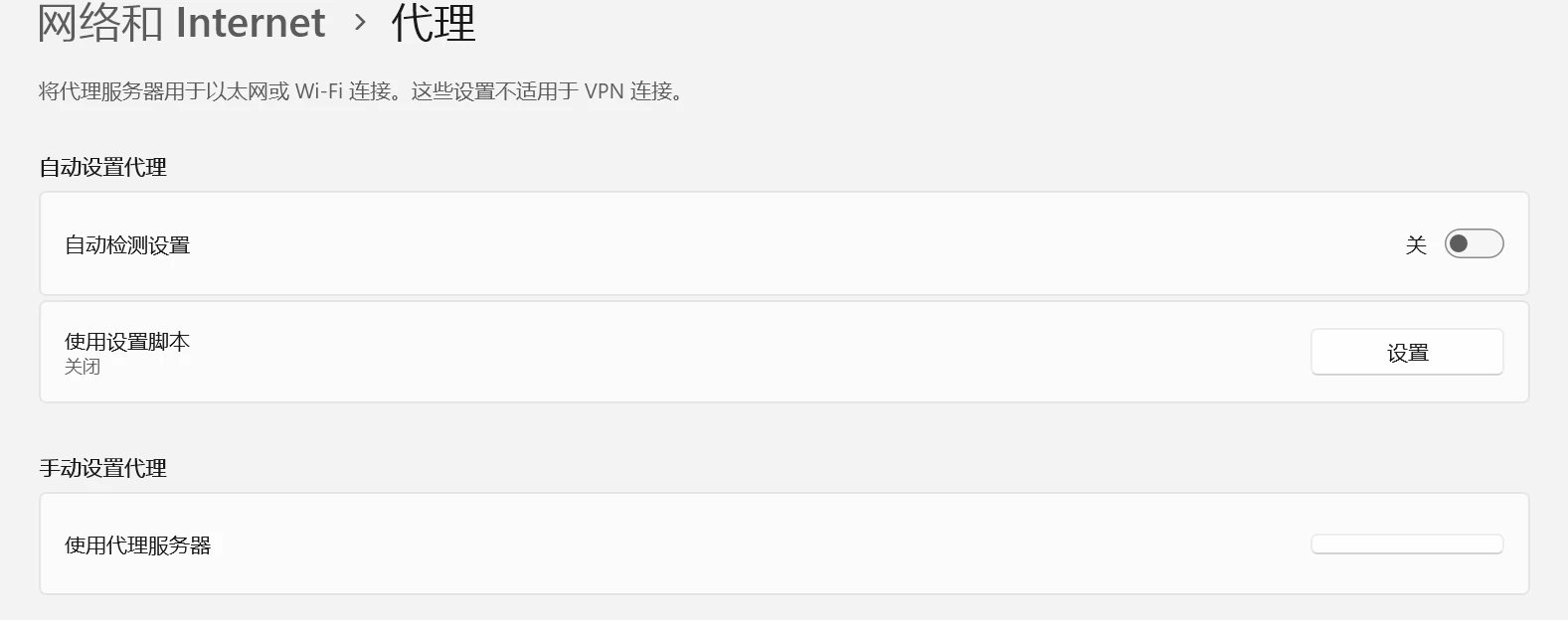
然而客户端中的 libcurl 却异常设置了代理,因此合理推测这就是无法建立连接的原因所在。
询问 DeepSeek 后得到线索:
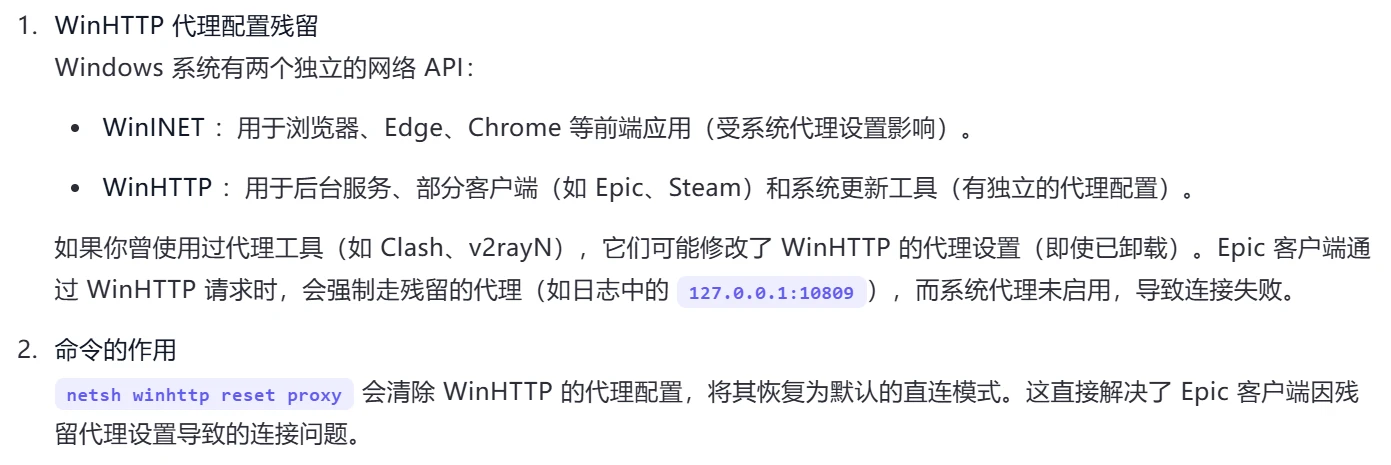
系统代理(IE/Edge 设置)和 WinHTTP 代理是两套独立的机制。Epic Games Launcher 的 libcurl 读取的是 WinHTTP 层的代理设置,而非系统代理。
3. 验证修复
执行 netsh winhttp reset proxy 重置 WinHTTP 代理:
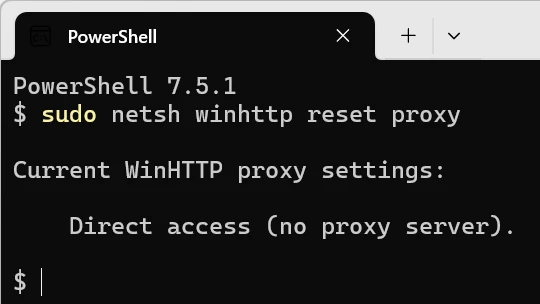
重置后客户端恢复正常。
根因总结
| 代理层次 | 设置位置 | Epic 客户端是否使用 |
|---|---|---|
| 系统代理 | Windows 设置 → 网络和 Internet → 代理 | ❌ |
| WinHTTP 代理 | netsh winhttp 管理 | ✅ (libcurl 读取) |
曾经使用过的代理工具(如 Clash、v2ray 等)可能在 WinHTTP 层留下了 127.0.0.1:10809 的代理配置,即使工具已卸载、系统代理已关闭,这个残留配置仍然存在。Epic Games Launcher 的 libcurl 按照 WinHTTP 代理配置尝试连接 127.0.0.1:10809,但代理服务已不在,导致“无法建立连接“。
附录:EpicGamesLauncher.log 部分内容
[2025.06.05-08.51.35:611][ 0]LogSelfUpdateService: ExecuteEpicGamesUpdater: Executing: "C:/Program Files (x86)/Epic Games/Launcher/Portal/Binaries/Win32/EpicGamesUpdater.exe" queryinstallation
[2025.06.05-08.51.35:635][ 0]LogSelfUpdateService: ExecuteEpicGamesUpdater: "C:/Program Files (x86)/Epic Games/Launcher/Portal/Binaries/Win32/EpicGamesUpdater.exe" queryinstallation - SUCCESS.
[2025.06.05-08.51.35:635][ 0]LogSelfUpdateService: Initialising for EpicGamesLauncher:EpicGamesLauncher:EpicGamesLauncher:18.5.0-41681068+++Portal+Release-Live-Win32.
[2025.06.05-08.51.35:685][ 1]LogStreaming: Warning: Failed to read file 'C:/ProgramData/Epic/EpicGamesLauncher/Data/Launcher.manifest' error.
[2025.06.05-08.51.35:685][ 1]LogStreaming: Warning: Failed to read file 'C:/ProgramData/Epic/EpicGamesLauncher/Data/LauncherUpdate.manifest' error.
[2025.06.05-08.51.35:685][ 1]LogSelfUpdateService: Error: No local manifest loaded in HandleLauncherManifestLoaded.
[2025.06.05-08.51.35:709][ 1]LogInit: Using libcurl 7.55.1-DEV
[2025.06.05-08.51.35:709][ 1]LogInit: - built for i386-pc-win32
[2025.06.05-08.51.35:709][ 1]LogInit: - supports SSL with OpenSSL/1.1.1
[2025.06.05-08.51.35:709][ 1]LogInit: - supports HTTP deflate (compression) using libz 1.2.8
[2025.06.05-08.51.35:709][ 1]LogInit: - bUseHttpProxy = true  - Libcurl will use HTTP proxy
[2025.06.05-08.51.35:709][ 1]LogInit: - HttpProxyAddress = '127.0.0.1:10809'
[2025.06.05-08.51.37:707][120]LogHttp: Warning: invalid HTTP response code received. URL: https://account-public-service-prod.ak.epicgames.com/account/api/oauth/token, HTTP code: 0, content length: 0, actual payload size: 0
[2025.06.05-08.51.37:707][120]LogHttp: Warning: request failed, libcurl error: 7 (Couldn't connect to server)
[2025.06.05-08.51.37:707][120]LogHttp: Warning: libcurl info message cache 0 (  Trying 127.0.0.1...)